Scripts for +1 Arm Length
Loadstring, feature breakdown, and a clear disclaimer: executors can get your Roblox account moderated.
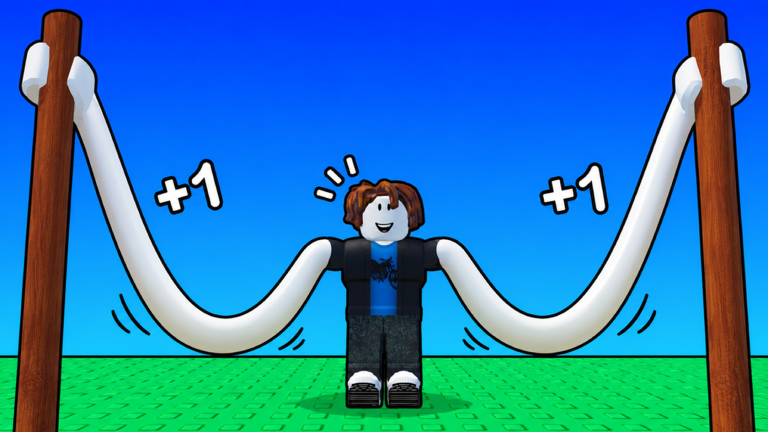
Some players look for scripts to automate training, launches, rebirths, and reward claims in +1 Arm Length. This hub documents a commonly shared loadstring, lists the features it exposes, and explains how people typically run it. It also states the risks in plain language. Using third-party executors and injected scripts can violate Roblox rules and may lead to warnings, bans, or lost progress. This wiki does not encourage rule-breaking. If you only want fair progression, skip to the manual alternatives and use the Guides Hub instead.
Important disclaimer
- Scripts and executors are not official Strong Bunny Studio tools.
- Roblox may detect automation. Account bans and moderation actions are possible.
- Never paste unknown loadstrings on a main account you care about.
- Never share cookies, passwords, or session tokens with any script menu.
- Features change when the game updates. A script that worked yesterday can break or misclick after a patch such as World 7 content.
- This page does not remove your responsibility. If you proceed, you accept the risk.
If you are here for codes, free chests, or fair tips, go to the Codes Hub and Players Hub instead.
Loadstring
Copy the entire line into a supported executor only if you understand the disclaimer above:
loadstring(game:HttpGet("https://flowauth.net/v1/loaders/22cb301da4b50eaf7e00d61e44a6ac85.lua"))()Paste once per session after the game finishes loading. If the menu fails to appear, wait for the world to finish streaming, then execute again. Do not stack multiple unknown loadstrings at once.
Feature list
Public menus for this script family typically expose toggles such as:
- Auto Train — repeats training actions to raise Power and arm progress.
- Perfect Rhythm — aims to hit timing prompts more consistently during training.
- Auto Launch — sends you onto the rainbow track without manual gate timing.
- Return After Run — brings you back after a launch so the next cycle starts faster.
- Enter Next World / Auto Next World — advances world gates when requirements are met.
- Auto Rebirth — triggers rebirth when thresholds look ready.
- Auto Arms / Auto Fists — purchases or progresses arm and fist upgrades.
- Upgrade Equipped / Equip Best Fist — keeps the equipped fist competitive.
- Auto Pets / Equip Best Pets / Delete Spares — manages pet loadouts and cleans duplicates.
- Claim Index Rewards — collects index-style completion rewards.
- Auto Fusion — fuses pets or related materials when the menu allows.
- Auto Halloween / Spend Tokens / Open Crates — event and crate automation when seasonal content is live.
- Auto Claim Rewards — Daily, Online, Offline, Group Chest, and Long Reach claims.
- Claim Boss Rewards / Auto Boss — boss fight loops and reward pickup.
- Auto Potion — uses potions on a schedule.
Not every toggle should run at once. Auto Rebirth while you still need to spend Wins on a key arm can waste a cycle. Auto Delete Spares can remove pets you wanted to fuse. Read each switch before enabling it.
How players usually run a script
- Install an executor at your own risk. This wiki will not recommend brands.
- Join +1 Arm Length and wait until HUD, shop, and world UI are visible.
- Attach the executor to the Roblox client.
- Paste the loadstring and execute.
- Enable only the features you understand, starting with Auto Claim Rewards if you insist on automation.
- Watch one full train → launch → return loop before leaving the PC AFK.
- Disable automation before trading, purchasing Robux items, or testing new update content.
If the script errors after a patch, turn it off. Forcing outdated automation against a new world UI is how accounts click the wrong spend buttons.
Safer manual alternatives
Most of the value in these toggles is just disciplined looping. You can capture most of the gain without executors:
- Claim Daily, Online, Offline, Group Chest, and Long Reach every login — how to redeem.
- Learn rhythm training properly — how to train.
- Launch with intent instead of spam — how to launch.
- Rebirth on multiplier breakpoints — rebirth guide.
- Buy arms and pets by value, not impulse — arms tier list, pets tier list.
- Learn world gates including Golden Dunes — worlds guide, World 7 update.
Strong players in public servers often look scripted because they never skip claims and never buy weak upgrades. Copy their habits first.
Event and boss automation notes
Halloween and other limited events add tokens, crates, and temporary shops. Auto Halloween and Spend Tokens can dump currencies into poor crates if the drop table changed. Boss automation can pull you into fights you cannot finish after a rebirth reset. When an event is live, run one manual boss and one manual crate open to learn the current rewards before you enable Auto toggles.
Etiquette if you still automate
+1 Arm Length servers are small. Do not spam chat with script ads. Do not block launch gates. Do not harass players who play fair. Automation that griefs shared spaces makes moderation more likely and ruins the experience for everyone else. See Players Hub for server etiquette.
Related pages
- Codes Hub — free rewards without executors
- Guides Hub — manual progression
- Updates Hub — patch awareness when scripts break
- Official Links — Roblox game and studio group
Use scripts only with full awareness of ban risk. For long-term accounts, manual mastery of training, launching, and rebirth will always be the safer path.
Frequently Asked Questions
Quick answers for +1 Arm Length players.
Is this +1 Arm Length script safe?
No script injected with an executor is guaranteed safe. Roblox can moderate automation. Use a throwaway account if you experiment, and never share passwords or cookies.
What does the loadstring do?
It downloads and runs a Lua loader that opens a feature menu for auto train, launch, rebirth, pets, rewards, bosses, and related toggles. Features can break after game updates.
Can I get banned for using scripts?
Yes. Executors and automation can violate Roblox rules and may result in warnings or bans. This wiki documents scripts for information only and recommends fair play guides instead.
What should I enable first if I accept the risk?
If you proceed anyway, start with reward claims only and watch one full loop. Avoid Auto Rebirth and Delete Spares until you understand your Wins and pet fusion plan.