+1 Arm Length Players Hub
Controls, session habits, and server etiquette for longer arms and cleaner launches.
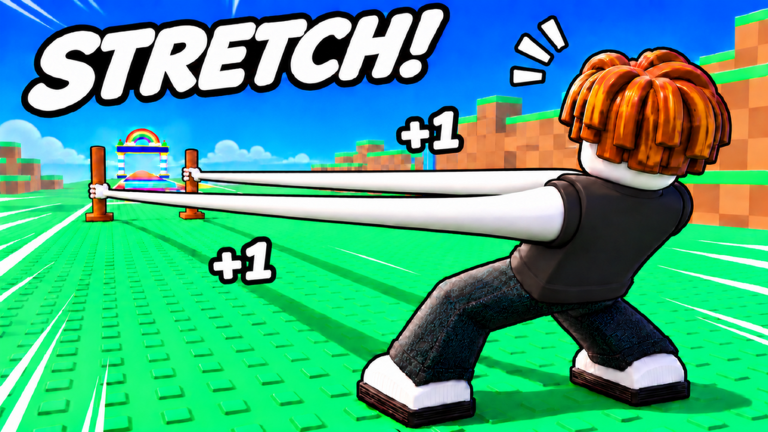
The Players Hub is about how humans actually play +1 Arm Length: inputs on PC and mobile, how to structure a session, and how to behave in compact eight-player servers without blocking someone else’s rainbow launch. Strong Bunny Studio built a social simulator loop—train, launch, spend Wins, rebirth—inside small servers where good manners and good habits both matter.
Start with the dedicated Controls Guide for PC and mobile movement, training taps, launch-gate pulls, camera tips, accessibility notes, and etiquette while launching. Use this hub page for session templates and strong-player habits, the Guides Hub when you need mechanical depth, and the Tier List Hub when you are about to open the shop.
Controls at a glance
Exact keybinds can vary slightly with Roblox device settings, but the gameplay verbs stay stable. For the full breakdown, open Controls.
PC snapshot
- Move with WASD or arrow keys to reach training pads, shops, gates, and reward panels.
- Camera with mouse look; keep the rainbow track and HUD visible before a launch.
- Interact / train with click or the on-screen train control when you are on a pad.
- Jump with Space when you need to reposition on uneven world geometry in Ice, Lava, or Golden Dunes.
- Open menus via HUD buttons for Shop, Rewards, Codes, Pets, Arms, and Rebirth.
- Paste codes with Ctrl+V inside the Codes field after copying from the Strong Bunny Studio group shout.
Mobile snapshot
- Thumb stick to move between pads and gates.
- Camera drag to line up launches and find HUD icons tucked near screen edges.
- Tap training controls and UI buttons; hold only when the prompt asks for a sustained input.
- Landscape play helps keep reward buttons clear of the joystick.
- Paste codes carefully; mobile keyboards love trailing spaces that break redeems.
Mobile players should claim Daily and Group Chest before moving far from spawn so they are not fighting joystick drift while hunting tiny UI tabs. See how to redeem for the Codes path.
Session template that actually progresses
- Load in and claim Daily, Online progress, Offline payout, Group Chest, and Long Reach — details in Crates and Index.
- Spend with a plan using arms, pets, and fists priorities.
- Train a focused block with attention to rhythm — how to train.
- Launch when Power and length justify the run — how to launch.
- Optional boss window only when prepared — bosses guide.
- Return, reinvest Wins, consider rebirth — rebirth guide.
- Push world goals only when requirements are honest — worlds guide, World 7.
- End with Online claim so active time is not wasted.
Short sessions can stop after steps 1–4. Long sessions should schedule at least one rebirth evaluation so you do not hoard past an efficient multiplier.
What strong players do differently
Strong players are not always the ones with the flashiest pets. They usually:
- Never skip free claims.
- Buy the next efficient upgrade instead of every shop row.
- Treat Perfect Rhythm as a skill, not background noise.
- Rebirth on purpose instead of emotionally.
- Read update notes before dumping event tokens — Halloween Event when seasonal boards are live.
- Keep bags clean enough that Equip Best Pets and Equip Best Fist still work.
- Watch the Strong Bunny Studio group for real gifts instead of chat scams.
- Leave space at gates because they read the Controls etiquette section once and kept it.
Weak patterns look like the opposite: ignoring Offline rewards, panic-buying C-tier arms, launching with no Power plan, and arguing in chat while Online timers finish unclaimed.
Eight-player server etiquette
Servers are small. Your launch path, training pad, and shop AFK spot affect other people. Full input-and-manners detail is on Controls; the short version:
- Do not body-block training pads or launch gates.
- Do not spam script advertisements or fake code lists in chat.
- Give space on the rainbow track entry; wait your turn if someone is mid-interaction.
- Keep music and voice respectful if you use party chat outside the experience.
- Avoid grief orbits around new players who are still learning Meadow.
- Trade advice, not account logins. Nobody needs your password to explain rebirth.
If you use automation tools despite the risks outlined on the Scripts Hub, do not turn shared spaces into obstacle courses. Ban risk aside, blocked gates ruin the game for fair players.
Social signals worth reading
- Players with consistent length growth usually have clean pet slots and recent rebirths.
- Players camping shop UI for ten minutes may be deciding on a tier-list purchase—give them space.
- Players asking for codes may need the Codes Hub more than a sarcastic reply.
- Players who clear bosses cleanly usually claimed rewards and re-equipped before the next launch.
Platform and comfort tips
- On PC, bind or position windows so group shout and Roblox can sit side by side when codes drop.
- On mobile, play in landscape for wider HUD access during launches.
- Take breaks during long Power grinds; rhythm accuracy drops when you fatigue.
- After major patches, spend five minutes remapping where Rewards and Codes moved before you assume a bug.
Related pages
- Controls Guide — PC, mobile, camera, accessibility, launch etiquette
- Getting Started
- Guides Hub
- Codes Hub
- Official Links
Play clean, claim often, spend with intent, and your arms will outgrow players who only chase flex purchases in noisy servers.
Frequently Asked Questions
Quick answers for +1 Arm Length players.
Where is the full +1 Arm Length controls guide?
Open the Controls page under Players for PC and mobile inputs, camera tips, accessibility notes, and eight-player launch etiquette.
What are the basic +1 Arm Length controls?
On PC use WASD to move, mouse to look, and HUD buttons for shop, rewards, and launch flow. On mobile use the thumb stick, camera drag, and taps for training and menus.
How many players are in a server?
Servers are small—about eight players—so blocking pads or gates is noticeable. Leave space and skip chat spam.
What do strong players do that beginners skip?
They claim every free reward, buy efficient arms and pets, practice rhythm training, and rebirth on multiplier breakpoints instead of panic spending.
Where should I go next after reading this hub?
Read Controls if inputs feel unclear, then Getting Started, How to Train, and How to Launch. Use the tier lists before major Wins spends.