How to Redeem Codes in +1 Arm Length
Exact UI path, copy tips, and fixes when a code fails or a free chest will not claim.
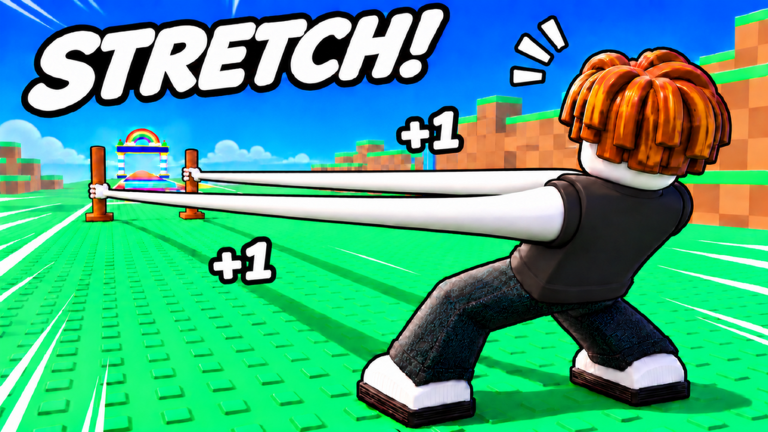
Redeeming a code in +1 Arm Length only takes a minute when the UI cooperates. This guide walks through the full path, explains how free reward panels differ from the Codes box, and covers the errors that waste the most time. Pair it with the Codes Hub for status notes on public lists, and keep Getting Started open if you are still learning where shop and reward buttons sit on mobile versus PC.
Before you redeem anything
- Launch +1 Arm Length on Roblox and wait until the world fully loads.
- Make sure you are on the account that should receive the gift. Codes and chests are account-bound.
- Join the Strong Bunny Studio group if you plan to claim the Group Chest or any group-gated gift.
- Copy the code from a trusted place only: group shout, official social post, or the in-game notice. Do not invent strings. If you only have an example format, treat it as check in-game — list changes often.
- Clear space in your inventory mindset: Wins, tokens, crates, and potions may land instantly and should be spent with a plan from the tier list hub.
Step-by-step: redeem a promo code
Exact button labels can shift slightly after UI updates, but the flow stays consistent:
- Look at the left or bottom HUD for Shop, Rewards, Gift, or a ticket-style Codes icon.
- Open that panel. If you see Daily / Online / Offline tabs first, look for a Codes button, tab, or text field nearby rather than closing the menu.
- Tap or click the Codes entry field. On mobile, tap once and wait for the Roblox keyboard; on PC, click then paste with Ctrl+V (Cmd+V on Mac).
- Paste the code exactly. Do not add spaces before or after. Keep the original capitalization unless the game normalizes input.
- Press Redeem, Submit, or Verify.
- Watch for a success toast, item popup, or Wins counter change. If nothing happens, read the error text before trying again.
- Close the panel and confirm the reward in your currency HUD, inventory, or pets/arms shop so you know what to spend next.
After a successful redeem, return to training or launching instead of sitting in menus. Free Wins only help if they buy Power, length, or rebirth progress. See how to train and how to launch for the next actions.
Claim free systems the same session
Promo codes are optional. These built-in claims should happen every login:
Daily
Open Rewards, select Daily, and claim the current day. If a streak meter is visible, protect it by logging in before reset. Daily often funds early arm or fist upgrades when you are still in Meadow.
Online
Leave the Online panel visible while you train. Claim whenever a timer completes. Online rewards pair well with Perfect Rhythm training blocks because you stay active in-server anyway.
Offline
Claim Offline first when you rejoin after hours away. Bank or spend the payout before a rebirth so the currency is not forgotten under a reset animation.
Group Chest
Confirm group membership on the Roblox website, rejoin the experience if the chest stays locked, then claim. Group Chest is one of the most reliable free spikes for new accounts.
Long Reach
Open Long Reach after a big length jump from arms, fists, or pets. Claim every completed tier. Long Reach rewards reinforce the fantasy of stretching farther down the rainbow track toward Ice, Lava, and World 7 Golden Dunes.
Troubleshooting failed codes
Invalid or does not exist
- Re-copy the string. Hidden spaces and smart quotes from chat apps break codes.
- Confirm you are in +1 Arm Length, not a similarly named arm simulator.
- Assume expiration. Milestone codes die quietly after an update window.
Already redeemed
Most codes are one redeem per account. Switching servers will not reset that. Check inventory and Wins before retrying.
Group requirement
Some gifts need Strong Bunny Studio membership. Join, wait for sync, rejoin the game, then redeem or claim again.
UI missing the Codes box
- Rotate the camera and check both sides of the HUD; mobile scaling can hide edge buttons.
- Update Roblox and restart the client.
- Try another device or a low-graphics session if the panel fails to open.
- After a large patch, wait for the server to finish loading world assets before opening shop menus.
Reward claimed but not visible
- Refresh currency counters by training once or re-equipping an arm.
- Check crate, potion, token, and pet bags separately from Wins.
- Rejoin the server once. Soft desyncs happen in busy eight-player servers.
Still stuck
Document the exact error text, the code source, and your platform. Check the Updates Hub for patch notes that moved the Codes UI. Avoid third-party redeem bots; they are unnecessary and risky compared with the official box.
Smart spending after a successful claim
A code or chest that dumps Wins should not trigger panic shopping. Use this priority order for most accounts:
- Buy the next arm or fist that clearly raises Power or launch distance for its Wins cost — see arms tier list.
- Slot pets that boost training or fusion value — see pets tier list.
- Hold a buffer for the next rebirth if you are close to a multiplier breakpoint — rebirth guide.
- Save event tokens for crates or Halloween spends only when the event is live and the reward table is worth it.
Players who dump every free Win into cosmetic or low-tier duplicates fall behind players who follow progression value. The Guides Hub and Players Hub expand on session habits that convert gifts into world clears.
Mobile versus PC tips
On mobile, paste from the Roblox clipboard carefully; some keyboards insert a trailing space. Zoom the UI if the Redeem button sits under the chat bar. On PC, keep the Codes panel open in a second thought while you Alt-Tab to the group shout, then paste once. Never share account cookies or ask someone else to redeem for you.
Related pages
- Codes Hub — free reward overview and code status policy
- Scripts Hub — automation disclaimer if you were looking for auto-claim tools
- Official Links — game page and studio group
Redeem carefully, claim the permanent free systems every day, and put Wins into upgrades that lengthen your arms for the next launch.
Frequently Asked Questions
Quick answers for +1 Arm Length players.
Where is the Codes button in +1 Arm Length?
Open Shop, Rewards, Gift, or a ticket-style Codes icon on the HUD, then find the Codes tab or text field. Labels can move slightly after updates, so check both sides of the screen on mobile.
Why does my code say invalid?
Usually a typo, hidden space, wrong game, or an expired string. Re-copy exactly from the Strong Bunny Studio group shout or official post, and confirm you have not already redeemed it on that account.
Do Daily and Group Chest use the same Codes box?
No. Daily, Online, Offline, Group Chest, and Long Reach are separate claim panels. Promo codes use the Codes text field. Claim both systems each session.
Should I spend code Wins immediately?
Spend on the next efficient arm, fist, or pet upgrade, or bank for a nearby rebirth. Avoid dumping Wins into weak duplicates. Use the arms and pets tier lists for priority.